Home BlindScanner

Share Scanner with BlindScanner

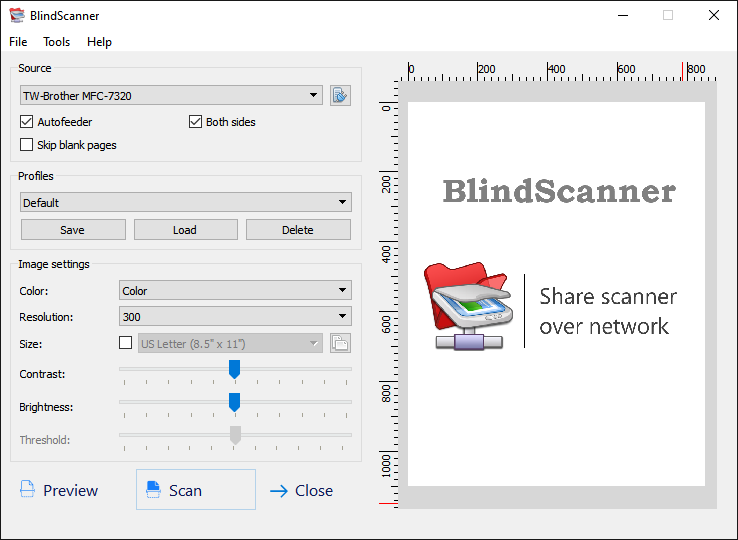
BlindScannerThe BlindScanner software will share and open access to remote scanner on the local area network that is not directly connected to your computer, but installed on a computer located in the neighboring room, for example. Light interface, minimum requirements for hardware and easy usage. Network your scanner now!

artwork.jpg

The BlindScanner software will share and open access to remote scanner on the local area network that is not directly connected to your computer, but installed on a computer located in the neighboring room, for example. Easiness of use, saving to various formats, compressing images, scanning pages automatically, scanning multiple pages, supporting an automatic feeder - these are not all program features. Now you can scan images using your favorite software, text and image editors, just select BlindScanner Pro in the list of installed scanners, specify the necessary color, resolution and size of the image.
The program will be useful not only in office where it will help you save several hundred dollars you could spend on a new scanner, but also at home for scanning from a notebook in a wireless home local area network. BlindScanner works with any flatbed TWAIN scanner and also supports scanners with automatic feeders.

In addition, you can use BlindScanner on the single computer for receiving images from remote scanner in the automatic mode (with timer delay) and saving images to the different graphic format.


BlindScanner Standard

BlindScanner Pro

Allows to scan, using the remote scanner and to save images in folders (it is possible automatically by the timer).

There is an opportunity to save scanned images in formats BMP, GIF, TIFF, JPEG, PDF, PNG

The server part should be installed and started on a computer which is connected to the scanner. The client part - on other computers where it is required to allow scanning, should be started as the separate application.

Download BlindScanner

Allows to scan, using the remote scanner. Has TWAIN interface on the client side and has a little bit expanded opportunities. It is compatible practically with all graphics applications. BlindScanner Pro looks for applications like a usual scanner (BlindScanner Pro). Transfers the image directly into application at scanning.

The server part should be installed and started on a computer which is connected to the scanner. The client part - on other computers where it is required to allow scanning, should be started from programs at while scanning.

The distribution kit contains Scanitto - the simplest program for scanning.

Download BlindScanner


Key features

1. Easiness of use

Installation and adjustment of the program takes no more than minutes, and does not demand any skills of work with a local area network. And use is reduced to four simple actions:

  • To choose a files format
  • To specify the sanction and color
  • To specify the catalogue for saving files
  • And, actually, to start process of scanning

2. A variety of formats

BlindScanner is able to save scanned images in various formats, among which:

  • BMP (Windows Bitmap)
  • GIF (Graphic Interchange Format)
  • JPG (JPEG)
  • PNG (Portable Network Graphics)
  • PDF (Portable Document Format)
  • TIFF (Tag Image File Format)

From them last two support "multi page".

3. Images compression

The size of the scanned images can be reduced considerably, using formats JPG, PDF and TIFF for which the degree of compression in percentage is established.

4. Automatic scanning

Automatic scanning is meant as scanning a series of images (for example: four sheets of the document) under the control of the program, with pauses between scanning of each sheet. You only need to change sheets in the scanner after each run. You can change time of a pause.

5. Multipage scanning

All scanned images can be placed in a single file (it is supported only by formats PDF and TIFF). It happens conveniently at sending images by email.

6. ADF support

BlindScanner supports auto document feeders (ADF) It is most useful while you are remote scanning